Fix Telegram Bot Error 409: Conflict Terminated by Other getUpdates Request
Telegram bot crashing with 409 Conflict? Find the second running copy, clear a stuck webhook and make sure only one instance ever polls.
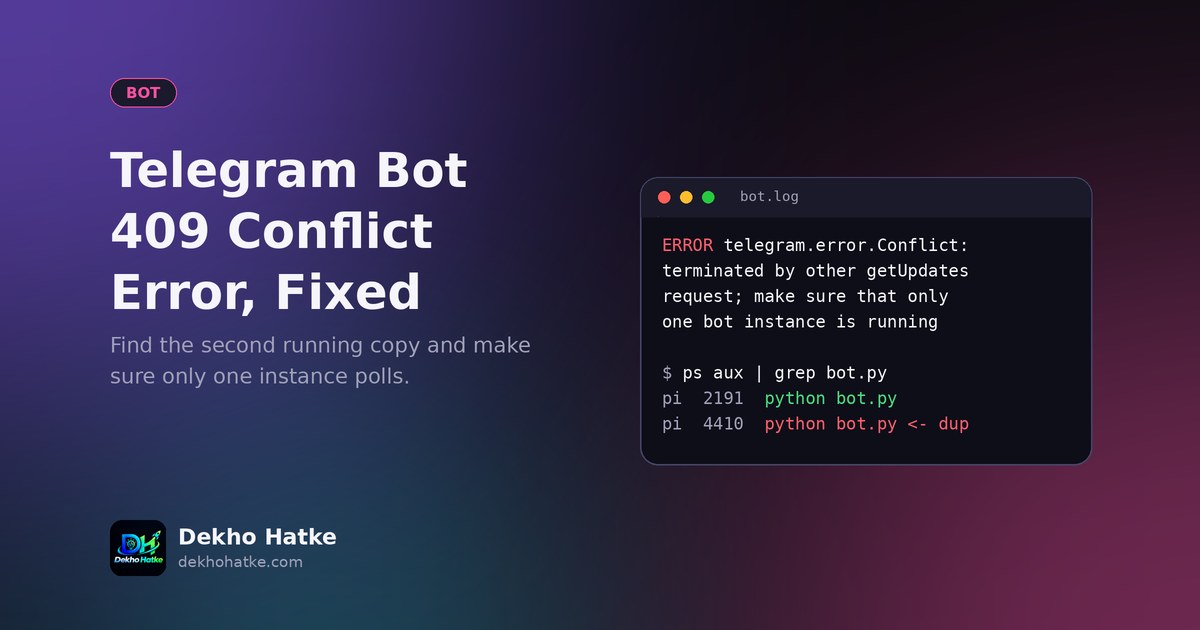
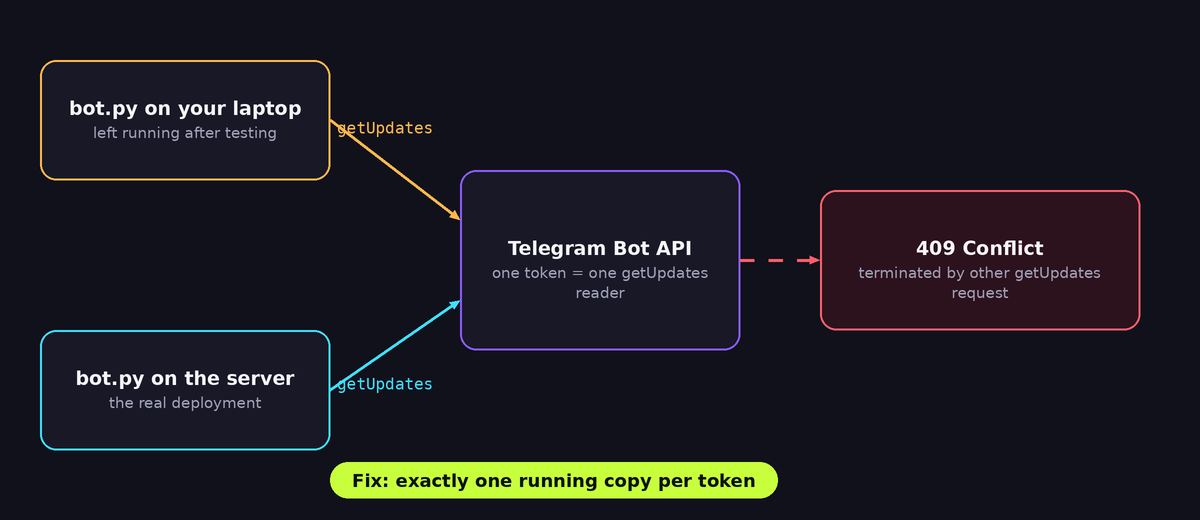
You deploy your Telegram bot, it answers for a few seconds, and then the log fills with a wall of red text that ends with one line: Conflict: terminated by other getUpdates request; make sure that only one bot instance is running. Telegram answers with HTTP status 409, your library raises an exception, and the bot either crashes or stops receiving messages.
This guide explains exactly what that error means, how to find the second copy of your bot that you did not know was running, how to clear a webhook that is silently blocking polling, and how to build the bot so the problem cannot come back. The examples use plain Python, but the logic is the same for python-telegram-bot, aiogram, pyTelegramBotAPI or any other library, because the error comes from Telegram's servers and not from your code.
What the 409 Conflict error really means
A Telegram bot can receive messages in two different ways. With long polling your program keeps asking Telegram "any new messages?" by calling the getUpdates method. With a webhook you give Telegram a public HTTPS address and Telegram pushes every new message to it.
For one bot token Telegram allows only one consumer at a time. If two programs call getUpdates with the same token, Telegram cancels the older request and tells it that it was terminated by another request. If a webhook is set and some program also calls getUpdates, Telegram refuses with a similar 409 error. So the message is not a bug in your handlers. It is Telegram saying that more than one thing is trying to read the same message queue.
There are two flavours of the error and the exact text tells you which one you have:
Conflict: terminated by other getUpdates request; make sure that only one bot instance is runningmeans two pollers are alive at the same moment.Conflict: can't use getUpdates method while webhook is active; use deleteWebhook to delete the webhook firstmeans a webhook is registered and your code is polling anyway.
Both are fixable in minutes once you know where to look.
Step 1: Prove which token is in trouble
Before hunting, confirm that the token you think you are using is the one that is failing. Open a Python shell and call getMe and getWebhookInfo directly. These two calls never consume messages, so they are safe to run at any time.
import requests

TOKEN = "123456:ABC-your-token"
API = f"https://api.telegram.org/bot{TOKEN}"

print(requests.get(f"{API}/getMe", timeout=15).json())
print(requests.get(f"{API}/getWebhookInfo", timeout=15).json())
The first line prints the bot's username. Check that it is really the bot that shows the error. People often keep a test bot and a live bot and paste the wrong token into a config file.
The second line prints the webhook state. If the url field is an empty string, no webhook is set and your problem is two pollers. If it contains an address, a webhook is active and the second flavour of the error applies. The pending_update_count and last_error_message fields are also useful: a webhook that keeps failing shows its last error there.
Step 2: Find the second copy of the bot
When the error says two pollers, one of them is a process you forgot about. These are the usual hiding places, roughly in the order they happen.
Your own laptop or PC
You started python bot.py in a terminal while testing, closed the laptop lid and left. The program is still running, still polling with the production token, and it fights with the server. Check running processes:
# Linux and macOS
ps aux | grep -i "bot.py"

# Windows (PowerShell)
Get-Process python* | Select-Object Id, ProcessName, StartTime
Also look for hidden terminals, VS Code or PyCharm run windows, Jupyter notebooks that still have a polling cell running, and Docker containers (docker ps). A notebook kernel is the classic one: the cell finished from your point of view, but the bot loop is still alive in the background.
Two workers or two replicas
If you deploy with gunicorn and start it with more than one worker, every worker imports your app and every worker starts a polling loop. That gives you two or four bots from one deploy. The same happens when a platform runs two instances for scaling. A polling bot must run as exactly one process. If your service also exposes a web page or an API, run gunicorn with one worker, for example gunicorn app:app --workers 1 --threads 4, and start the bot only once.
Overlapping deploys
Many hosting platforms start the new version of your service before they stop the old one so that visitors never see downtime. For a few seconds both versions are alive and both poll. Usually the old one is stopped soon after and the error disappears on its own. If it does not disappear, you have a different cause from this list. If it appears only for a few seconds around each deploy, you can ignore it or make your code retry after a short sleep, as shown later.
A second hosting account or a forgotten project
Developers often deploy the same bot to a free service, then move to another provider and forget to delete the first project. Search your accounts on every platform you have ever used: Render, Railway, Heroku, a VPS, a Raspberry Pi, a friend's server, GitHub Codespaces, Replit. Free services sleep and wake up, so a forgotten copy can come back to life days later and break your bot again.
A teammate or a copy of the code
If more than one person has the production token in their local .env file, any of them running the bot for a test will cause the conflict. Production tokens should live only in the hosting dashboard. Everybody should develop with a separate test bot.
Step 3: Stop everything, then start one
When you cannot find the duplicate quickly, use the reliable shortcut: take away the token from the unknown copy. Open @BotFather in Telegram, send /mybots, pick the bot, choose API Token and then Revoke current token. BotFather gives you a new token and the old one stops working immediately, so every forgotten copy starts failing with 401 Unauthorized and cannot fight with your real bot any more. Put the new token only in your real deployment and restart it.
Revoking is also the correct response if you ever pasted a token into a public GitHub repository, a screenshot or a chat. A leaked token lets anyone control your bot.
Step 4: Clear a webhook that blocks polling
If getWebhookInfo showed a URL and you want to use polling, delete the webhook once:
import requests

TOKEN = "123456:ABC-your-token"
r = requests.post(
    f"https://api.telegram.org/bot{TOKEN}/deleteWebhook",
    data={"drop_pending_updates": "true"},
    timeout=15,
)
print(r.json())
The argument drop_pending_updates throws away messages that piled up while the bot was broken. Use it when old messages are no longer relevant. If your users sent important commands during the outage, leave it out and the bot will process the backlog.
The opposite also exists. If your bot runs on a hosting service that gives you a public address, a webhook is often the better choice, and then your code must not call getUpdates at all. Pick one method and stay with it. Switching an existing bot from polling to webhook is done with setWebhook, and switching back requires deleteWebhook as shown above.
Step 5: Make duplicates impossible
Finding the duplicate today does not protect you tomorrow. These habits remove the whole class of problem.
Use a separate bot for development
Create a second bot in BotFather, for example mybot_dev_bot, and use its token locally. Production and development can then run at the same time without ever touching each other. Load the token from an environment variable and never hard-code it:
import os

TOKEN = os.environ["BOT_TOKEN"]  # different value on your PC and on the server
Add a single-instance guard
For a bot that must run as one process on one machine, bind to a local port at startup. An operating system allows only one program to bind a given port, so a second copy fails immediately with a clear message instead of fighting silently:
import socket
import sys

def single_instance(port=47200):
    s = socket.socket(socket.AF_INET, socket.SOCK_STREAM)
    try:
        s.bind(("127.0.0.1", port))
    except OSError:
        print("Another copy of this bot is already running. Exiting.")
        sys.exit(1)
    return s  # keep a reference so the socket stays open

_guard = single_instance()
This protects you on one machine. It cannot see a copy running on another server, which is why separate tokens and revoking remain the real protection.
Retry politely instead of crashing
Even a healthy deploy can show a short conflict while the old instance shuts down. If your polling loop dies on the first exception, a two second overlap becomes a permanent outage until someone restarts the service. A tiny retry loop fixes that:
import time
import requests

def poll(token, handle):
    api = f"https://api.telegram.org/bot{token}"
    offset = None
    while True:
        try:
            r = requests.get(
                f"{api}/getUpdates",
                params={"timeout": 30, "offset": offset},
                timeout=40,
            )
            if r.status_code == 409:
                print("409 conflict, waiting 5 seconds before trying again")
                time.sleep(5)
                continue
            r.raise_for_status()
            for upd in r.json().get("result", []):
                offset = upd["update_id"] + 1
                handle(upd)
        except requests.RequestException as e:
            print("network problem:", e)
            time.sleep(3)
Two details matter here. The timeout parameter of getUpdates is the long-polling wait on Telegram's side, and the timeout=40 argument of requests.get must be bigger than it, otherwise your own client gives up before Telegram answers. The offset value tells Telegram that you have processed everything up to the previous update, so the same message is not delivered twice. If you want to harden the HTTP side further, read our guide on timeouts, retries and sessions in Python requests.
If the 409 does not go away after a minute of retrying, stop retrying forever and alert yourself. A permanent conflict means a real second instance exists, and no amount of waiting will fix it.
Special case: a bot on a free Render service
Free web services sleep after a period without traffic. If you keep the service awake with an external pinger and also start the bot inside the web process, every wake up and every redeploy is a chance for two copies to overlap. Three rules keep this setup stable:
- Run exactly one gunicorn worker and start the bot thread only once, inside that worker.
- Start the bot after the web server is ready, guarded by a flag such as
if not os.environ.get("BOT_STARTED"), or in a function that runs once at import time and is protected by a lock. - Prefer a webhook on a hosted service. With a webhook there is nothing to poll, so there is nothing that can conflict, and your service wakes up when Telegram delivers a message.
If you are new to hosting a bot this way, our article on scheduling Python scripts with cron and Render shows how to keep a free service awake, and the guide on building a Telegram bot that reports to you covers the basics of sending messages from Python.
A quick checklist you can follow in order
- Run
getMeand confirm the token belongs to the bot you expect. - Run
getWebhookInfo. If a URL is set and you want polling, calldeleteWebhook. - Look for local processes, notebooks and containers on every computer you use.
- Look for forgotten deployments on every hosting account you have.
- Check that your server runs one worker and one replica.
- If you still cannot find the duplicate, revoke the token in BotFather and set the new one only on the real deployment.
- Add a development bot, a single-instance guard and a retry loop so the problem does not return.
Frequently asked questions
Can two different bots with different tokens conflict?
No. The limit is per token. Two bots with different tokens can poll at the same time without any problem. That is exactly why a separate development bot is the cleanest fix.
Does the 409 error mean my bot was banned or my token was stolen?
No. It only says that more than one consumer is reading the same queue. A stolen token can cause it, because the thief's program polls with your token, but the most common reason by far is your own forgotten process. Revoking the token solves both cases.
Will I lose messages while the error happens?
Telegram keeps undelivered updates for a limited time, which the Bot API documentation states as 24 hours. When one single poller returns, it receives what is still stored. If you called deleteWebhook with drop_pending_updates, the stored messages are discarded on purpose.
Is a webhook better than polling?
For a bot hosted on a server with a public HTTPS address, a webhook is usually simpler and cheaper, because Telegram contacts you only when there is something to deliver. Polling is easier on a home computer, because you need no public address. Choose according to where the bot lives and keep to one method.
My code uses a library. Where do I put the fix?
The fixes in this article do not depend on a library. Finding duplicates, clearing the webhook and revoking the token all happen outside your code. Only the retry loop is code, and every major library has an option or an error handler where you can wait a few seconds and restart polling when this error appears.
Final thoughts
The 409 Conflict error feels mysterious because the error text talks about "other requests" that you cannot see. In practice there is always a simple explanation: a forgotten terminal, a second worker, a leftover webhook or an old deployment. Check the webhook, hunt for the duplicate, use separate tokens for development and production, and let your polling loop wait and retry instead of dying. Once you do, the bot stays up, and a single instance does all the work.