Find a C++ Segmentation Fault with AddressSanitizer and gdb
Stop guessing why your program prints Segmentation fault. Reproduce it, read an AddressSanitizer report, get a gdb backtrace and fix the usual causes.
You compile your C++ program, run it, and the terminal prints two unfriendly words: Segmentation fault, sometimes followed by (core dumped). There is no line number, no variable name and no explanation. The program simply dies, and often it dies only on some inputs, which makes it feel random.
A segmentation fault is not random. It happens when your program touches memory that it is not allowed to touch, and there is a systematic way to find the exact line. This guide teaches you that way. You will learn what the error means, how to turn on AddressSanitizer with one compiler flag, how to read its report, how to use gdb to get a backtrace, and how to fix the five causes that explain nearly every segfault in beginner and intermediate programs. If pointers still feel unclear, read C++ pointers explained simply first. It gives you the vocabulary that this article uses.
What a segmentation fault means
Every running program gets its own range of memory addresses from the operating system. The hardware and the operating system watch every access. When your program reads or writes an address that does not belong to it, or writes to memory that is marked read-only, the processor raises a fault, the operating system receives it, and the operating system stops your program with the signal SIGSEGV. The shell shows this as "Segmentation fault".
C++ does not check pointer or array accesses for you, so the language will happily compile code that touches invalid memory. The crash appears only at run time, and sometimes not at the line where the real bug is. For example, you may write past the end of an array in one function, damage a neighbouring variable and crash much later in an unrelated function. That distance between the bug and the crash is why guessing is slow and tools are fast.
Step 1: Compile for debugging
Normal optimised builds throw away the information that tools need. Compile with debug symbols and without optimisation first:
g++ -std=c++17 -g -O0 -Wall -Wextra main.cpp -o appThe flag -g adds line numbers and variable names to the executable. -O0 stops the compiler from reordering or removing code, so that the debugger shows your lines in the order you wrote them. -Wall -Wextra turn on warnings. Read them: warnings such as "may be used uninitialized" or "returning address of local variable" often point directly at the bug before you run anything.
Step 2: Let AddressSanitizer tell you the line
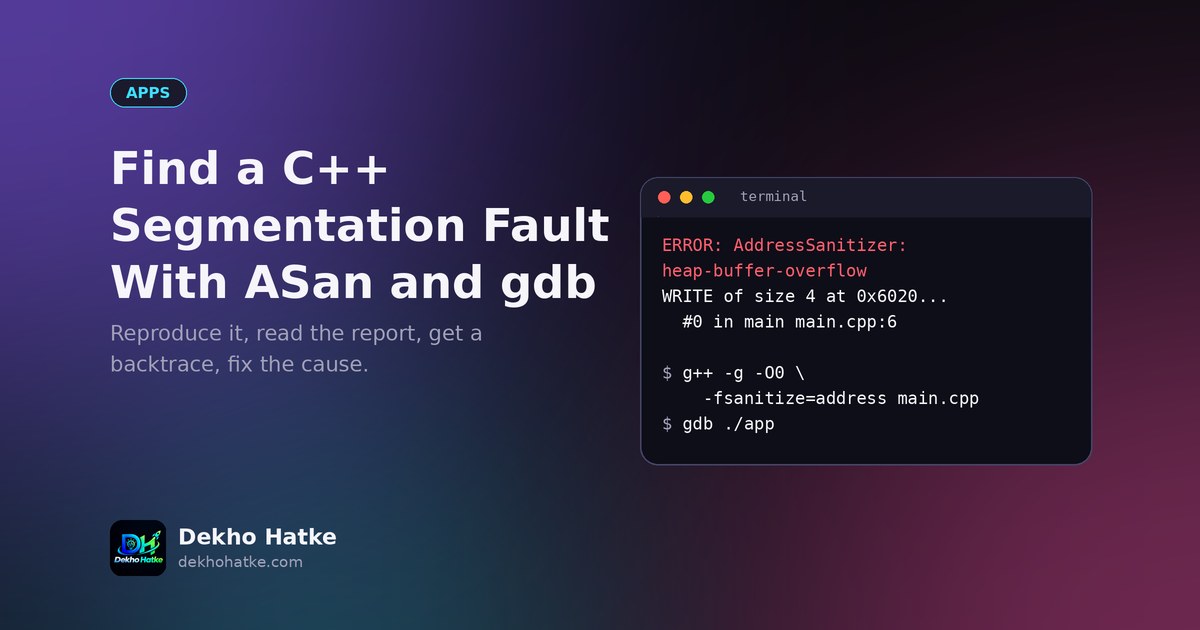
AddressSanitizer, called ASan, is a tool built into GCC and Clang. It adds checks to every memory access, and when your program does something illegal, it stops immediately and prints a report with the exact line, the type of error and where the memory came from. Turn it on at compile time:
g++ -std=c++17 -g -O0 -fsanitize=address,undefined -fno-omit-frame-pointer main.cpp -o app
./app
Here is a small program with a classic bug, a heap buffer overflow:
#include <iostream>
#include <vector>

int main() {
    int *data = new int[5];
    for (int i = 0; i <= 5; i++) {   // bug: should be i < 5
        data[i] = i * 2;
    }
    std::cout << data[2] << "\n";
    delete[] data;
}
Without tools, this program may run without any visible problem, or crash on another computer. With ASan, the output starts like this (shortened, with addresses replaced by dots):
ERROR: AddressSanitizer: heap-buffer-overflow on address 0x...
WRITE of size 4 at 0x... thread T0
    #0 0x... in main main.cpp:6
    ...
0x... is located 0 bytes after 20-byte region [0x..., 0x...)
allocated by thread T0 here:
    #0 0x... in operator new[](unsigned long)
#1 0x... in main main.cpp:4![Memory diagram of an array of five integers with a sixth write at data[5] landing outside the allocated 20-byte block, reported as heap-buffer-overflow.](/assets/img/fig/cpp-segmentation-fault-asan-gdb-1.png)
Read it in this order. The first line names the error type: heap-buffer-overflow. The next line says you did a WRITE of 4 bytes. The first stack entry, main.cpp:6, is the line that did it. The sentence "0 bytes after 20-byte region" means you wrote just past the end of a 20-byte block, which is five integers. The bottom part shows where the block was allocated, line 4. With that information the fix is obvious: the loop should be i < 5.
The most common error names that ASan reports, and what each one tells you:
heap-buffer-overfloworstack-buffer-overflow: you read or wrote outside an array.heap-use-after-free: you used memory afterdeleteor after avectorreallocated.stack-use-after-returnorstack-use-after-scope: you kept a pointer to a local variable that no longer exists.SEGV on unknown address 0x000000000000: you dereferenced a null pointer.double-free: you deleted the same memory twice.stack-overflow: usually infinite or very deep recursion.
The flag undefined adds UndefinedBehaviorSanitizer, which catches integer overflow in signed arithmetic, bad shifts and similar problems. ASan makes the program slower, so use it for testing and not in the final release build.
Step 3: Use gdb when you need to look around
Sometimes you need to inspect variables at the moment of the crash, for example when the bug is a null pointer that came from a function far away. gdb, the GNU debugger, does this. Start your program inside gdb:
gdb ./app
(gdb) run
When the segfault happens, gdb stops at the exact line and prints it. Now ask questions with these commands:
btprints the backtrace, the chain of function calls that led to the crash. Read it from the top: frame 0 is where the crash happened and the frames below are the callers.frame 2jumps to the second frame, so that you can look at the caller.print ptrshows the value of a variable andprint *ptrshows what it points to. Ifptrprints0x0, it is a null pointer.info localslists all local variables of the current frame.listshows the source code around the current line.
If your program was run by somebody else, or by a script, you can ask the system to save a core dump and open it later. On Linux, run ulimit -c unlimited in your shell before the program starts, and then gdb ./app core after it crashes. Where the core file lands depends on the system settings, so check your distribution's documentation if you cannot find it.
On Windows with Visual Studio, the debugger stops with "Access violation reading location" and shows the call stack window, which is the same idea as bt. The tools differ, but the method is the same.
The five causes behind most segmentation faults
1. Dereferencing a null or uninitialised pointer
A pointer that was never given an address contains garbage, and a pointer set to nullptr points nowhere. Reading through either crashes.
struct Node { int value; Node *next; };

int sum(Node *head) {
    int total = 0;
    while (head->next != nullptr) {   // crashes when head itself is nullptr
        total += head->value;
        head = head->next;
    }
    return total;
}
The fix is to check the pointer before using it, and to initialise every pointer when you declare it. Here the loop should test head != nullptr, which also handles the last node correctly:
int sum(const Node *head) {
    int total = 0;
    while (head != nullptr) {
        total += head->value;
        head = head->next;
    }
    return total;
}
2. Going outside the bounds of an array or vector
Indexing with [] is not checked. Writing to v[10] in a vector of size 5 is undefined behaviour. It may crash immediately, or corrupt other data and crash later. Typical sources are off-by-one loops (<= instead of <), loops that use the wrong size variable and reading input into a fixed-size array without a limit. While you debug, use v.at(i) instead of v[i]. The at function throws a clear std::out_of_range exception with a message instead of silently misbehaving.
std::vector<int> v = {1, 2, 3};
std::cout << v.at(3);   // throws out_of_range, easy to find
3. Using memory after it was freed
This is the classic dangling pointer. You free memory and keep using the pointer, or two parts of the code each think they own the same memory.
int *p = new int(42);
delete p;
std::cout << *p;        // use after free: undefined behaviour
A related case that surprises beginners is iterator and pointer invalidation. When a std::vector grows, it may move all its elements to a new block of memory, so pointers, references and iterators into the old block become invalid:
std::vector<int> v = {1, 2, 3};
int *first = &v[0];
v.push_back(4);        // may reallocate
std::cout << *first;   // dangling pointer if reallocation happened
The fix is to avoid keeping raw pointers into containers that change, or to store indexes instead of pointers. For owned memory, use smart pointers, which free the memory exactly once:
#include <memory>

auto p = std::make_unique<int>(42);   // freed automatically when p goes out of scope
4. Returning a pointer or reference to a local variable
Local variables live only until their function ends. Returning their address gives the caller a pointer to memory that is about to be reused.
int *makeNumber() {
    int x = 10;
    return &x;          // x is destroyed when the function returns
}

const std::string &makeName() {
    std::string s = "Asha";
    return s;           // reference to a destroyed object
}
Return by value instead. Modern C++ makes returning objects by value cheap, because of move semantics and copy elision, so there is rarely a reason to return a reference to a local. The compiler warns about the first form if you use -Wall, so do not ignore warnings.
5. Stack overflow from deep or infinite recursion
Each function call uses stack memory, and the stack is small, typically a few megabytes. A recursive function without a correct stopping condition keeps calling itself until the stack is exhausted, and the program crashes with a segmentation fault (ASan reports stack-overflow).
int factorial(int n) {
    return n * factorial(n - 1);   // no base case: never stops
}
Add a base case: if (n <= 1) return 1;. A very large local array such as int big[10000000]; can also overflow the stack. Allocate big data on the heap with std::vector or std::make_unique<int[]>(n).
Other causes worth knowing
- Writing to a string literal.
char *s = "hello"; s[0] = 'H';writes to read-only memory. Usestd::stringor achararray. - Missing return in a function that must return a value. This is undefined behaviour and the compiler warns about it.
- Mismatched new and delete. Memory from
new[]must be released withdelete[], and memory fromnewwithdelete. Better, avoid manualnewaltogether. - Wrong format specifiers in printf. Passing an
intwhere%sexpects a string makesprintfread a random address. - Data races in threads. Two threads changing the same container without a lock can corrupt it. ThreadSanitizer (
-fsanitize=thread) finds these. - Unflushed assumptions about input. Reading with
cincan fail and leave variables unchanged, and later code then uses an invalid index.
Prevention habits that save hours
- Prefer
std::vector,std::stringandstd::arrayover raw arrays andchar*. - Prefer
std::unique_ptrandstd::shared_ptrover rawnewanddelete. - Initialise every variable and pointer when you declare it.
- Check pointers and indexes that come from outside your function, such as user input, files and return values.
- Keep the warnings on, and treat them as errors in your own projects with
-Werroronce the code is clean. - Run your tests with ASan and UBSan enabled in a regular debug build.
- Keep functions short so that the lifetime of each variable is easy to see.
A one-page workflow
When the next segfault appears, do these four things in this order. First, rebuild with -g -O0 -fsanitize=address,undefined. Second, run the program with the input that crashes it, and read the first stack frame in the ASan report. Third, if the report is not enough, run it in gdb and use bt and print. Fourth, match what you saw to the five causes above, fix the root cause and re-run with the sanitizer to confirm that no report remains. If you work on a bigger project, add the sanitizer build to your checks, so that new bugs are caught before they reach users.
Frequently asked questions
Why does my program crash only sometimes?
Undefined behaviour does not have to fail every time. A write past the end of an array may land on unused memory today and on something important tomorrow. The outcome depends on memory layout, compiler flags and input. A sanitizer reports the bug every time, regardless of luck.
Is a segmentation fault the same as an exception?
No. A C++ exception is thrown by your code or the standard library and can be caught with try and catch. A segmentation fault is a signal from the operating system and you cannot handle it as a normal error. You must fix the cause.
Does ASan work on Windows?
Recent versions of Visual Studio include AddressSanitizer support for MSVC, and Clang offers it too, but the exact setup depends on your version. Check your compiler's documentation. On Linux and macOS the flag shown above works with GCC and Clang.
Should I leave the sanitizer on in the released program?
No. It slows the program and uses much more memory. Use it for development and testing, and ship a normal optimised build.
What is the difference between valgrind and ASan?
Valgrind runs your unmodified program in a virtual machine and reports memory errors. It needs no recompilation but is much slower. ASan is faster because the checks are compiled in. Either is far better than guessing.
Final thoughts
A segmentation fault feels like a wall, but it is really a message that something touched memory it should not. Compile with debug information, let AddressSanitizer name the line and the kind of mistake, use gdb for the details, and compare the result to the five common causes. With a little practice, you will fix most crashes in minutes and prevent many of them by choosing safer tools such as vectors and smart pointers.